Silüet
- Division
- 03 Products
- Status
- Beta
- Type
- Document anonymisation for lawyers
A desktop app that finds and masks personal data in legal documents (names, ID numbers, addresses, IBANs) entirely on the lawyer’s own computer.
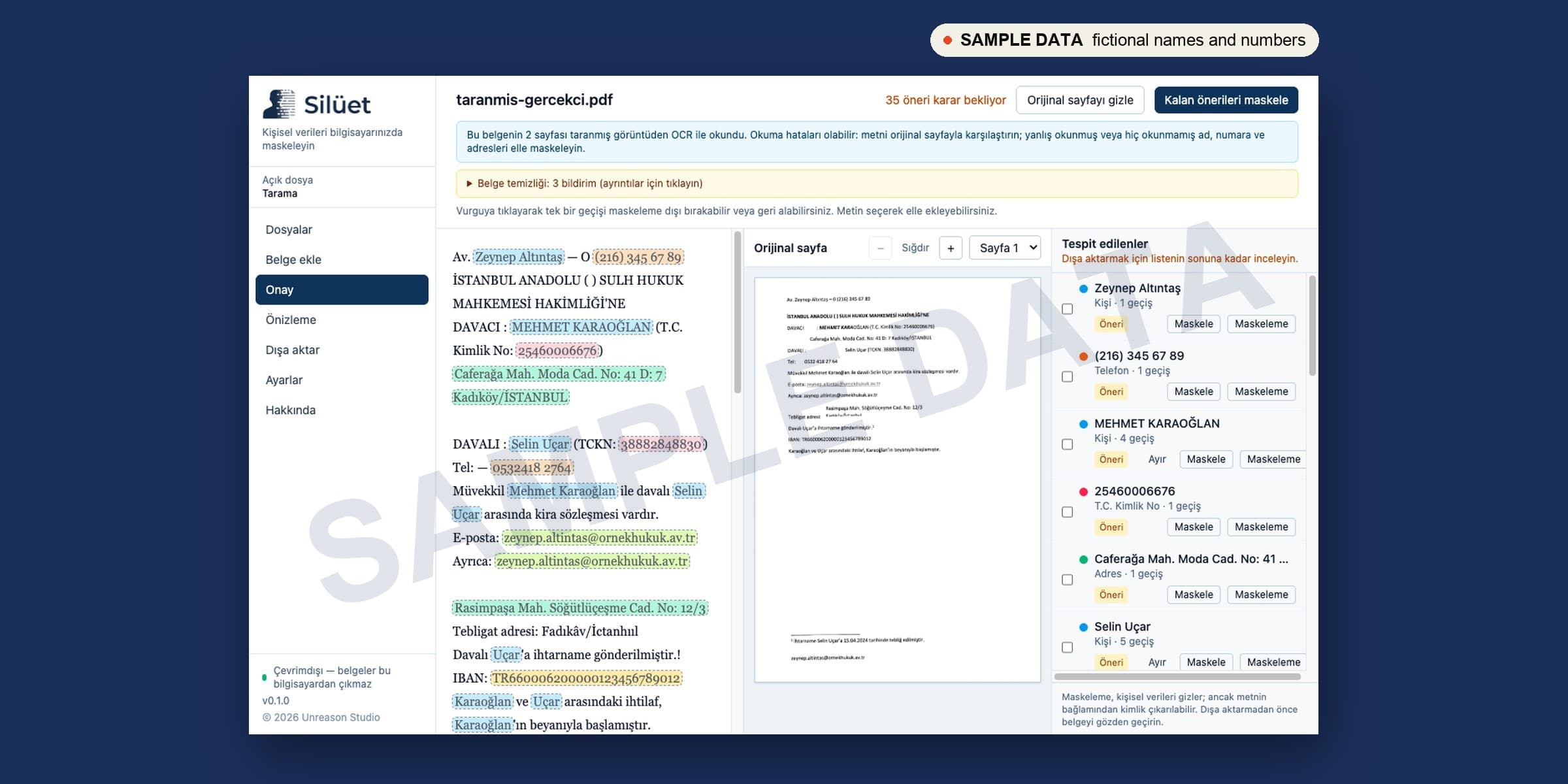
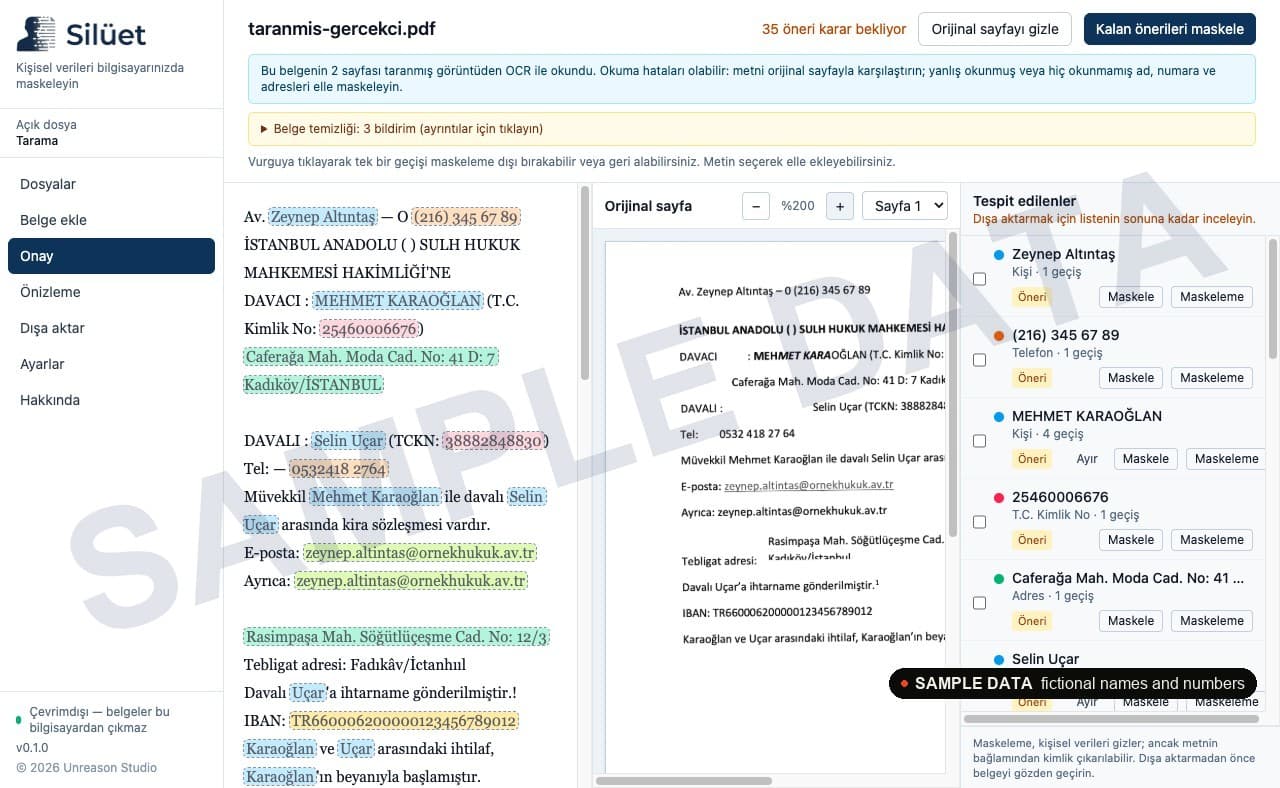
Silüet reads petitions, contracts and case files (Word, PDF, UYAP UDF, even scanned pages) and suggests every piece of personal data it finds. The lawyer reviews each suggestion, masks with consistent pseudonyms such as [KİŞİ-1] or [DAVACI], and exports a clean copy. Nothing leaves the computer: no cloud, no upload, no account.
01
The problem
Lawyers share documents all the time: with experts, colleagues, journals and AI tools. Masking names, T.C. Kimlik numbers, addresses and bank details by hand is slow, and one missed line is a KVKK breach. Cloud tools are faster, but they mean uploading the very data you are trying to protect.
02
The product
Silüet runs offline on Mac and Windows. A Turkish-language recognition model and checksum-verified rules detect personal data, while the lawyer stays in control of every decision before anything is exported.
03
Key features
- 01
Works offline
Documents never leave the computer. Case files and originals are stored encrypted on the device.
- 02
Built for Turkish legal documents
DOCX, PDF, UYAP UDF and TXT, plus scanned PDFs and images read with on-device OCR.
- 03
Thorough detection
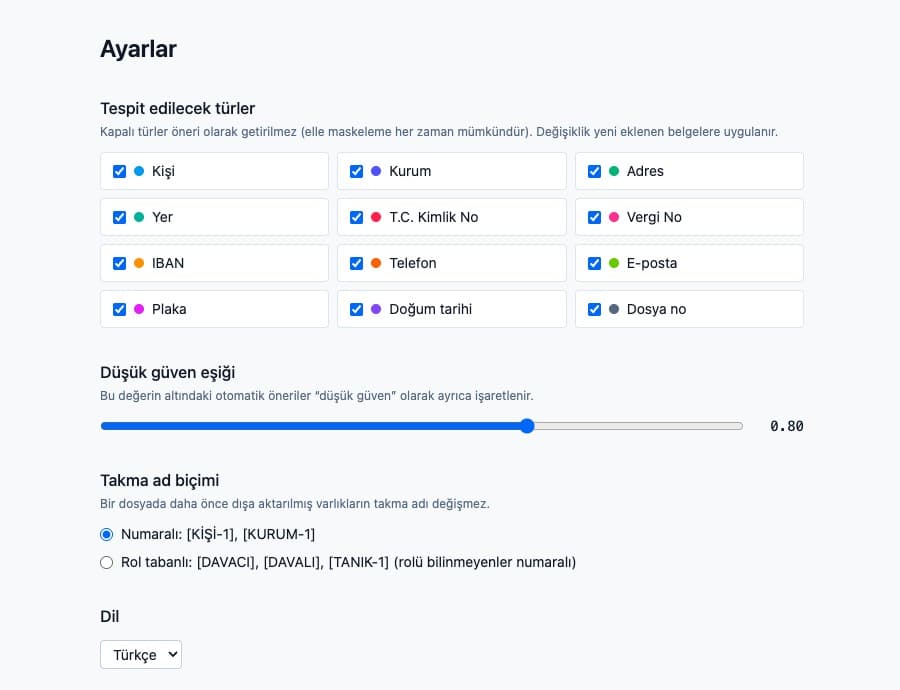
People, institutions, addresses, T.C. Kimlik and tax numbers (checksum-verified), IBAN, phone, e-mail, plates, dates of birth and case numbers.
- 04
Consistent pseudonyms
The same person gets the same label in every document of a case: numbered [KİŞİ-1] or role-based [DAVACI], [DAVALI].
- 05
Review before export
Every suggestion is accepted or rejected by the lawyer, with the original page shown side by side.
- 06
UYAP-ready output
Masked UDF files open in the UYAP Document Editor, so anonymised filings stay in the format courts use.
04
How it works
- 1
Create a case file
One file per case or matter keeps pseudonyms consistent.
- 2
Add documents
Drop in Word, PDF, UDF or scanned files.
- 3
Review suggestions
Accept, reject or add masks by hand.
- 4
Export
Save a masked copy, ready to share.
05 — Screenshots
Status
Beta
Version 0.1.0 for macOS (Apple Silicon and Intel) and Windows 10/11. The installers are not code-signed yet: on Mac, right-click the app and choose Open; on Windows, choose More info → Run anyway.
Next in Products
Watson
Work with us